Tech AI Moderator

Organize Meetings. Capture Decisions. Move Forward.

Tech AI Moderator is an AI-powered meeting assistant that helps businesses manage meetings, generate agendas, and turn meeting transcripts into structured minutes with key discussion points, decisions, and agreed action items.

Integrated with Microsoft Teams and accessible through chat, Moderator supports the meeting process from scheduling and preparation to documentation and follow-up.

Less manual work. More structured meetings. Clearer outcomes.
More Than a Meeting Assistant

Tech AI Moderator helps organize the entire meeting workflow,
combining meeting management with AI-powered agenda generation and documentation.

Flexible Meeting Management

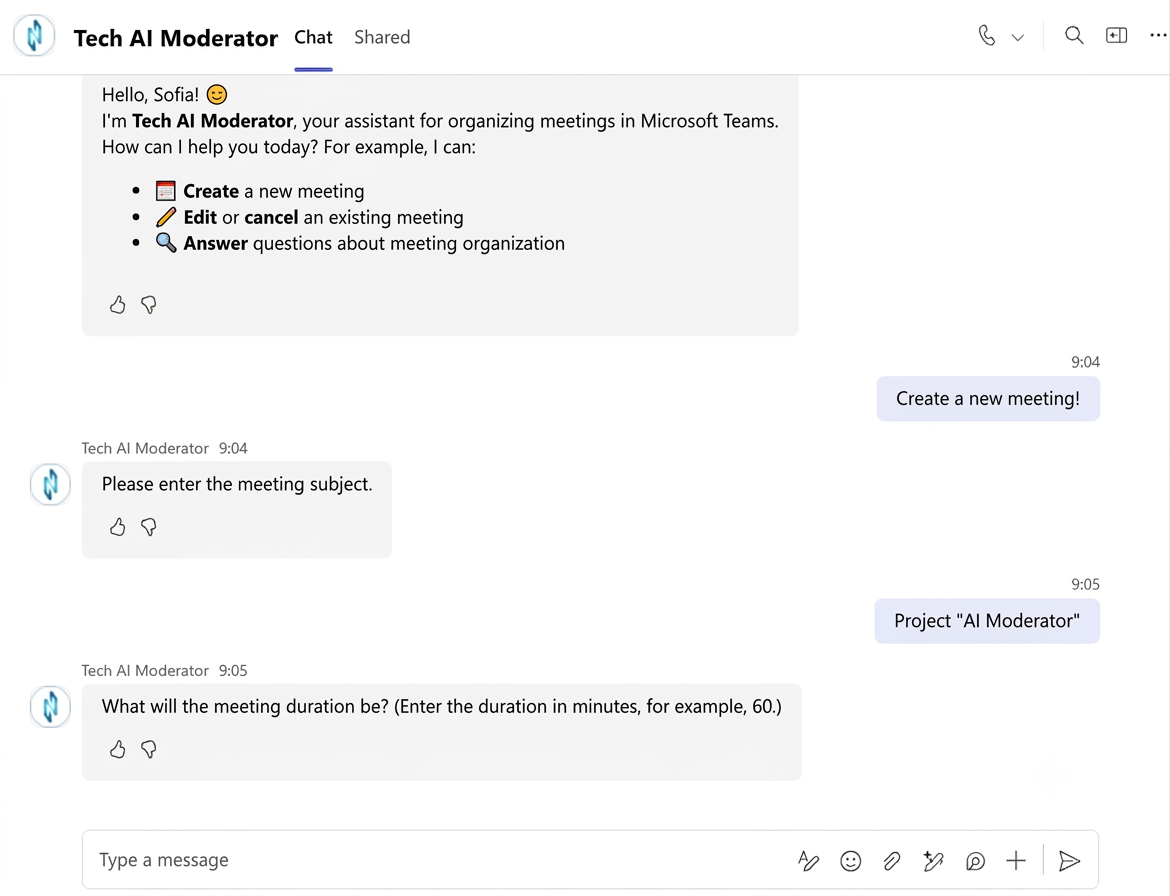
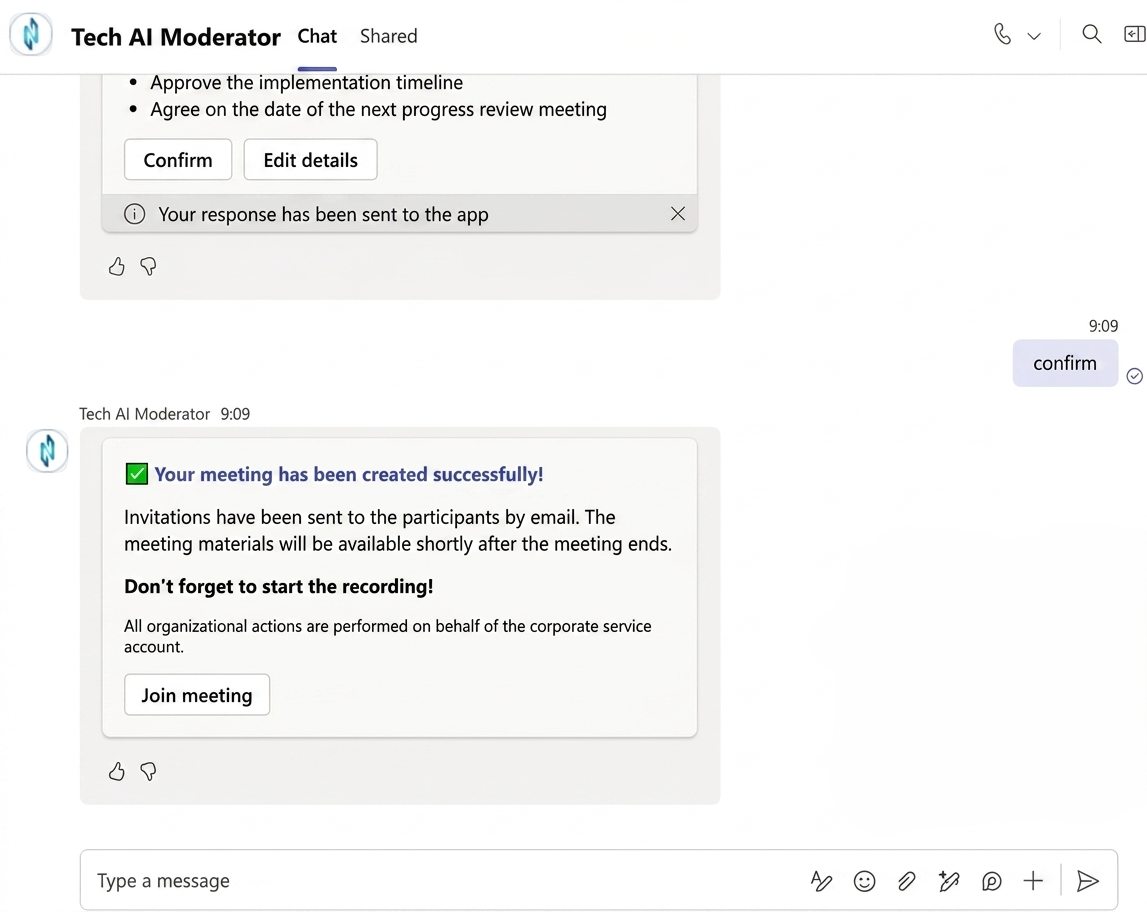
Create meetings and
edit their details,
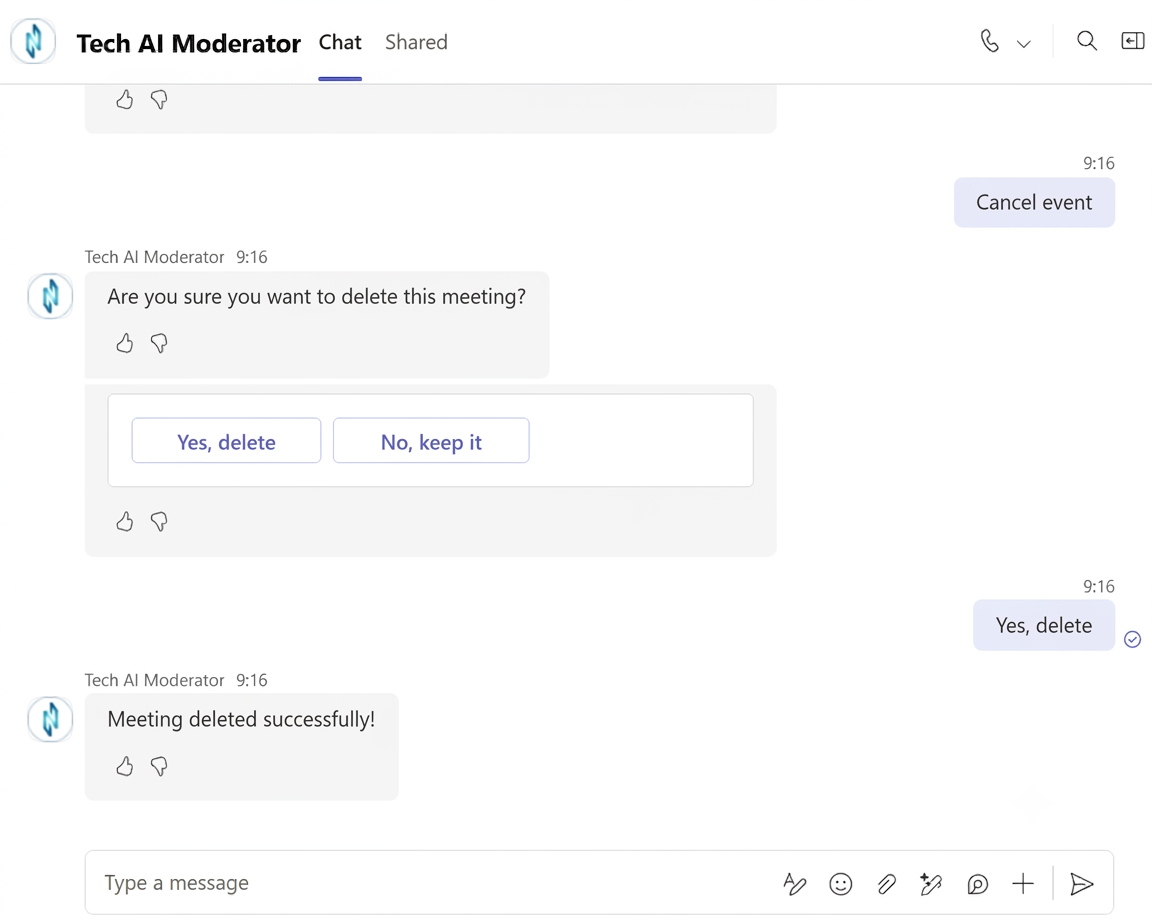
including the date, time, topic, agenda, and participants. Reschedule or cancel an existing meeting when plans change.

AI-Generated Meeting Agendas

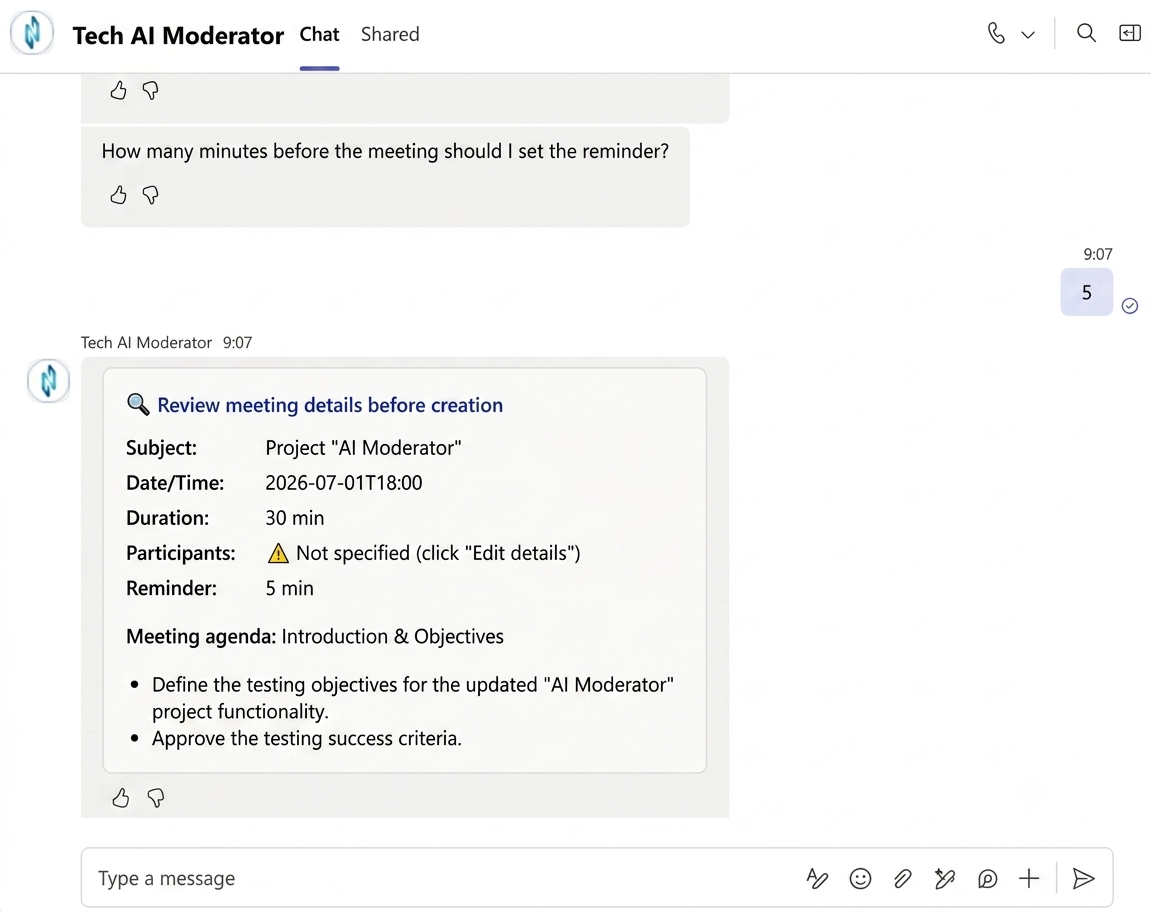
Describe the meeting topic and objectives, and Moderator helps generate a structured agenda. Give every meeting a clear purpose and help participants prepare for the discussion.

Review Before Sending

Review and edit the generated meeting minutes in the email before sending them to participants. Keep control over the final document and ensure it accurately reflects the discussion.

Optional Meeting Recording

Choose whether
to include the
meeting recording
when sending
the meeting minutes,
depending on your needs.

Convenient OneDrive Storage

Meeting minutes and
recordings are saved
to a designated OneDrive folder.
The storage location
can be changed
when necessary to
accommodate your
document management
requirements.

Automated Meeting Minutes

Moderator analyzes the meeting transcript and generates structured minutes containing key discussion points and decisions, reducing the need to prepare documentation manually. Meeting recording must be enabled to make the transcript available for processing.

Action Items and Next Steps

Identify agreed actions and next steps from meeting discussions. Responsible participants and deadlines are included when they have been established during the conversation and captured in the transcript. Moderator does not invent assignments or deadlines that were never agreed upon.

Find and Manage Meetings in Teams

Find previously created
meetings by topic
directly in the
Microsoft Teams chat
with Moderator.
Update meeting details,
reschedule meetings,
or cancel them
as plans evolve.

How Tech AI Moderator Works

Business Benefits

Tech AI Socrates helps employees access the knowledge they need at different stages of their work.

Improve Meeting Structure

Establish a more consistent approach to meeting preparation. Clear agendas help participants understand the purpose of a meeting and the topics that need attention.

Save Time on Meeting Administration

Reduce the repetitive work involved in preparing agendas, documenting discussions, and formatting meeting minutes. Let AI assist with routine tasks while employees focus on their responsibilities.

Adapt to Changing Schedules

Update meeting details, change dates or times, and cancel meetings through the assistant when plans change.

Simplify AI Adoption

Bring AI-assisted meeting preparation and documentation into Microsoft Teams, a familiar environment for many business users.

Built for the Microsoft Environment

Tech AI Moderator is designed to work within the Microsoft ecosystem, with Microsoft Teams chat as the primary interface for users and OneDrive for storing generated meeting documentation.

The solution brings AI-assisted meeting preparation, meeting management, and transcript-based documentation into familiar business workflows.

▶ Microsoft Teams
Interact with the assistant through chat to create and manage meetings, prepare agendas, and generate meeting minutes.

▶ OneDrive
Store meeting minutes and recordings in a designated folder, with the option to change the storage location as required.

▶ Flexible Integration Potential
Explore additional integrations with Microsoft 365 services and business applications to connect meeting outcomes with existing processes.

The scope of additional integrations depends on your business requirements and technical environment.
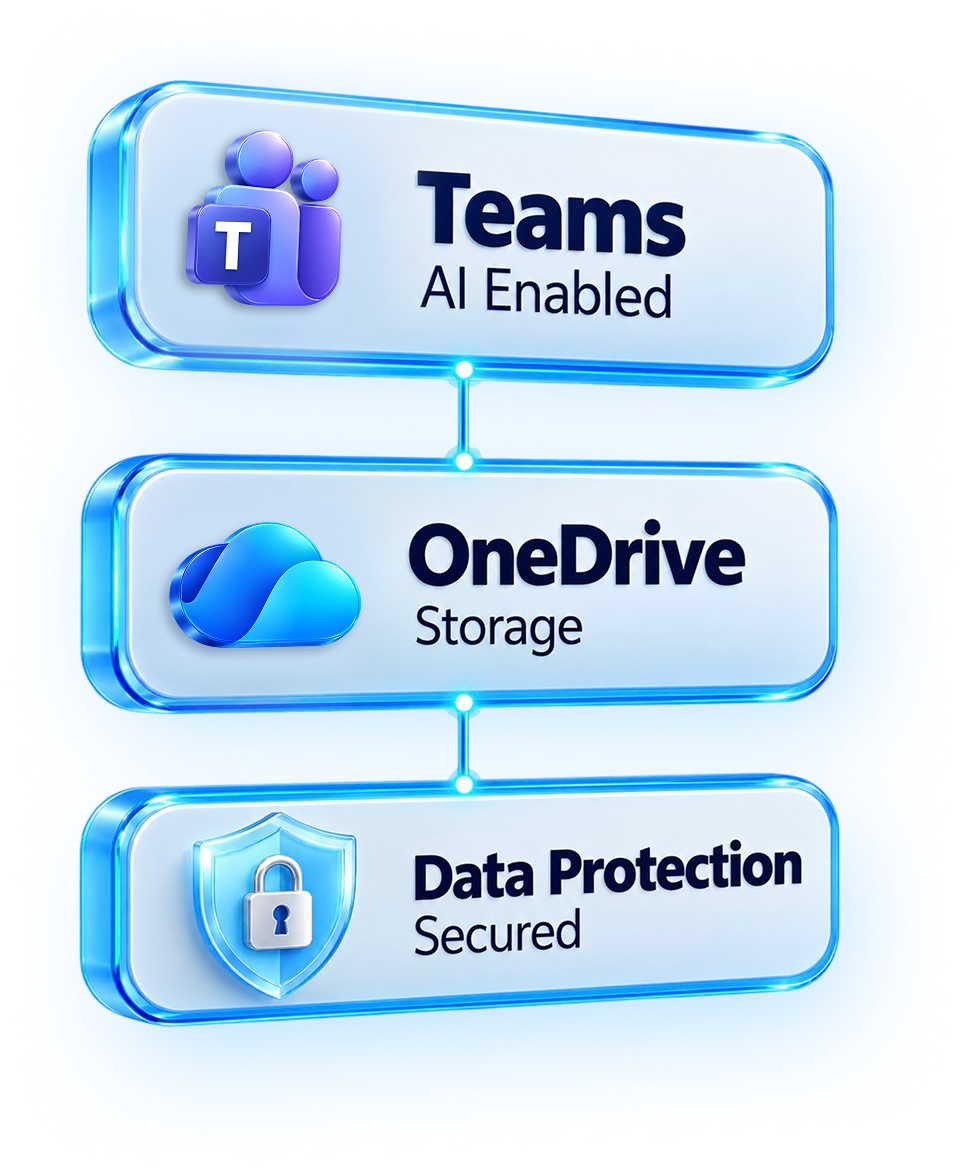
Security and Responsible AI

Tech AI Moderator operates within the Microsoft ecosystem and follows Microsoft's principles for responsible and secure AI use.

Microsoft Environment

Integrated with Microsoft Teams and OneDrive to support meeting management and documentation within the Microsoft environment.

Responsible
AI

AI capabilities are
designed around Microsoft's
principles for
responsible AI use.

Data
Protection

Meeting documentation and access to business information are managed within the configured Microsoft environment.

Controlled
Access

Access to meeting content and stored documents is governed by the applicable permissions and security settings.
Tech AI Moderator helps organizations adopt AI for everyday business processes while maintaining
a focus on security, responsible use, and control over corporate information.

Extend Tech AI Moderator to Fit Your Business

The core solution supports meeting management, agenda generation, transcript-based meeting minutes, action items, and OneDrive storage.

Organizations can explore further enhancements to connect meeting documentation with broader business workflows.

Microsoft Planner Integration

Explore automatically creating
Planner tasks
from action items
identified in meeting minutes.
Help teams move
from agreed actions
to task execution
and follow-up.

SharePoint Integration

Extend document storage to SharePoint libraries, enabling organizations to organize meeting minutes by project, department, or document category and connect them with corporate document management processes.

Customized Meeting Templates

Adapt agenda and
meeting-minutes formats
to different
business scenarios,
including management meetings,
project reviews,
sales discussions,
and operational planning.

Business
Reporting

Develop reporting
scenariosbased
on available meeting
and task data
to help teams monitor
follow-up activities
and recurring
business processes.

Automated Workflows with Power Automate

Explore automation for document approval, notifications, distribution, and other follow-up activities based on meeting outcomes.

Meeting
History and
Search

Extend the solution to support searching previous meeting minutes and retrieving earlier decisions, agreements, and action items.

AI-Assisted Recruitment Interviews

Adapt Moderator to support recruitment interviews by helping structure interview agendas, document candidate responses from transcripts, and prepare interview summaries. Potential extensions include standardized interview templates, structured documentation, and integration with existing recruitment workflows. The exact functionality can be tailored to the organization's recruitment process, documentation requirements, and Microsoft environment.
Additional capabilities can be explored and tailored to your business processes, Microsoft environment, and integration requirements.

Who Can Benefit from Tech AI Moderator?

  • Distributed and Hybrid Teams
    Make meeting outcomes easier to review after discussions, especially when participants need a written record of decisions and actions.

  • Sales and Account Teams
    Simplify meeting documentation and preserve agreements from internal discussions and customer meetings.

  • Project Managers
    Capture project decisions and action items, supporting coordination and follow-up across teams.

  • HR and Operations Teams
    Standardize recurring meetings, internal coordination, operational reviews, and other business discussions.

  • Management Teams
    Structure discussions, document decisions, and maintain a clearer record of agreed next steps.

    Make Your Meetings More Productive

    Tech AI Moderator helps businesses reduce routine meeting administration, maintain structured documentation,
    and create a clearer connection between discussions, decisions, and next steps.

    Start with AI-assisted agendas, meeting management, meeting minutes, and action items.
    Extend the solution as your business requirements evolve.

    Discover how Tech AI Moderator can support your meeting processes and fit into your Microsoft environment.

    Frequently Asked Questions

    Do I need to change the way my team works to use Tech AI Moderator?
    No. Tech AI Moderator works through Microsoft Teams chat, allowing users to interact with the assistant in a familiar environment.
    Can I review AI-generated meeting minutes before they are shared?
    Yes. You can review and edit the email containing the meeting minutes before sending it, keeping control over the final content.
    How accurate are the Action Items generated by the assistant?
    Action Items are based on the meeting transcript. The assistant identifies agreed tasks, responsible participants, and deadlines when these details are discussed during the meeting. It does not invent missing information.
    Can Tech AI Moderator be adapted to our company's processes?
    Yes. The solution can be further extended to support specific business needs, such as task management, workflow automation, customized templates, and additional reporting. The scope depends on your requirements and the integrations to be implemented.
    How can we find out if Tech AI Moderator is right for our organization?
    Contact our team to discuss your meeting workflows, business requirements, and potential implementation options. We will help you assess how Tech AI Moderator can fit into your Microsoft environment.